The report is the product

See what your HubSpot Lifecycle Spine Audit delivers.

FunnelLedger turns lifecycle-stage history, source-of-change evidence, and connected CRM activity into a board-ready report on funnel trust, movement, decay, and cleanup risk. The interactive sample shows the full report with hover notes explaining what each analysis reads.

Evidence-led Deterministic verdicts Read-only audit No automatic CRM writes
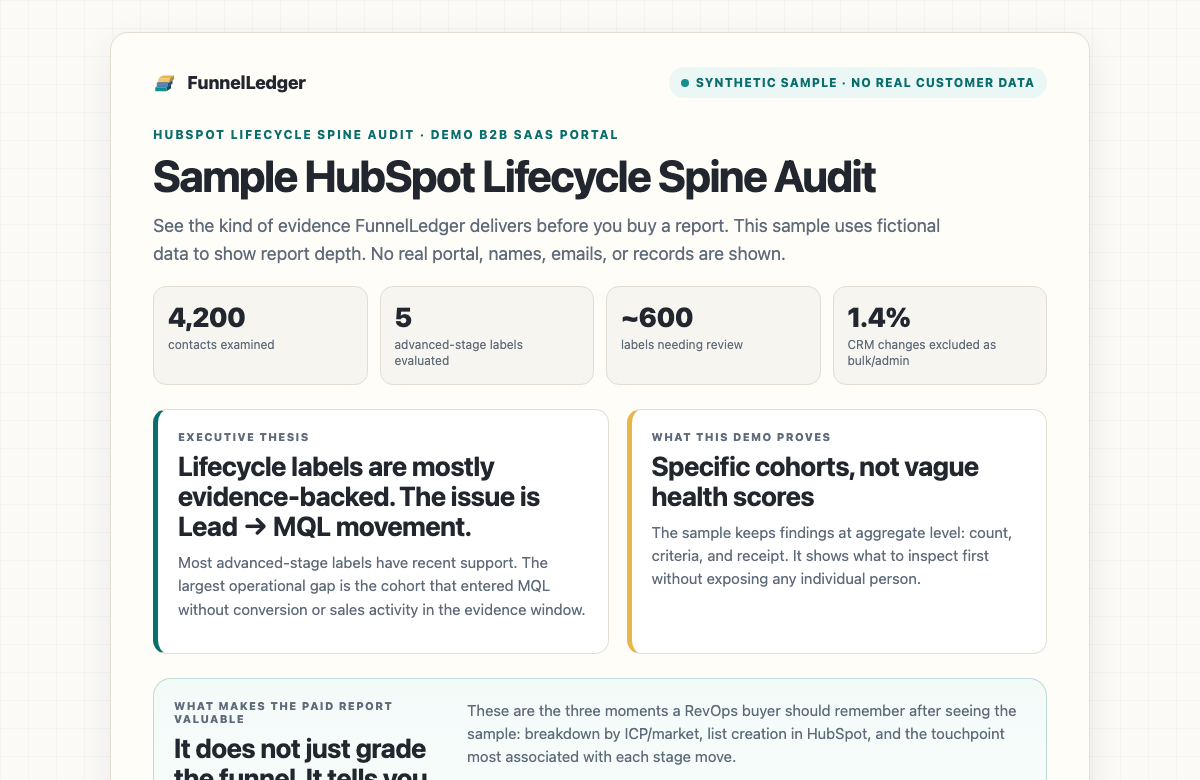
Preview of a FunnelLedger connected SaaS Lifecycle Spine Audit report
Interactive sample report · synthetic SaaS data Hover dotted phrases inside the sample to see the evidence logic
What the report answers

The questions behind the pipeline meeting.

The audit is designed to replace gut-feel lifecycle debates with a readable evidence file: what happened, what to trust, and where to clean up. Findings stay at aggregate, cohort, and stage level, and are evidence-guided rather than causal proof.

01
Can we trust Lifecycle Stage history?
02
Which changes were real funnel movement vs workflow, import, or admin cleanup?
03
Where does the funnel leak?
04
Which stages are stale, missing evidence, conflicting, or evidence-backed?
05
Do we run one lifecycle path, or multiple motions?
06
Which contacts should be reviewed or pulled into a list?
Inside the report

Four reads, one report.

The full report is not a data dump. It moves from the board-level thesis to the forensic receipt, then into stage health and the cohorts ready for review.

Read 01 · Trust the timeline

Can we trust the lifecycle history?

The report starts with an executive summary and a timeline view that shows when Lifecycle Stage behaved like buyer progression versus administrative noise.

  • Executive summary — funnel thesis Board-readable conclusion, risk, and next action.
  • Lifecycle Trust Over Time Month/quarter histogram of reliable, low-confidence, and distorted periods.
  • Who changed Lifecycle Stage Workflows, imports, integrations, users, and bulk activity separated from normal movement.
Read 02 · Rebuild the spine

What movement is real?

FunnelLedger keeps the raw history visible while adjusting for the windows that look like cleanup, migration, or automation.

  • Raw vs adjusted lifecycle spine Original label history beside the noise-adjusted funnel movement.
  • Detected lifecycle paths + Lifecycle Design Confirmation Branching motions confirmed before the report treats them as truth.
  • Stage progression Stage entries, skips, exits, and time-in-stage without silently dropping custom stages.
Read 03 · Explain the evidence

Which stages earned their label?

The stage cards connect conversion, activity, source, and velocity evidence so a team can see why a label is strong, stale, missing evidence, or conflicting.

  • Stage performance Conversion, time-in-stage, and evidence quality by lifecycle stage.
  • Attribution & conversion evidence Source mix, recent conversions, form context, and timing around movement.
  • Connected evidence receipts Connected-only live touchpoints, deal/company context, and lifecycle-stage support signals.
Connected adds live HubSpot evidence
Read 04 · Act on it

Which cohorts need review?

The report ends with cleanup-ready cohorts and the exact boundaries for what FunnelLedger can and cannot push back to HubSpot.

  • Lifecycle Decay Conservative connected-audit review list for contacts sitting too long without supporting touchpoints.
  • CSV bundle Audit and Connected plans include exportable cohorts for RevOps review.
  • Segment Actions · explicit approval Connected-only list creation in HubSpot, never automatic, write scope required.
Segment Actions are connected-only
Upload vs Connected report depth

Two reports. One audit logic.

Both reports run the same deterministic verdict engine. The difference is how much evidence FunnelLedger can see.

Same audit logic, different evidence depth
Basic Upload Report

CSV property-history based

Operator uploads the Lifecycle Stage history CSV plus up to 5 supporting property-history CSVs. No HubSpot connection required. Privacy-first by design.

  • Lifecycle spine + raw vs adjusted view from uploaded property history
  • Source-of-change attribution per transition
  • Detected lifecycle paths + Lifecycle Design Confirmation
  • Source / conversion / activity evidence when uploaded
  • Trust Over Time and Lifecycle Decay
  • CSV bundle export · unlimited re-runs
No HubSpot connection · no names, emails, or phone numbers needed
Connected Report

Live HubSpot OAuth

Connect HubSpot via OAuth. Live evidence around transitions. Everything in the upload report, plus deal/company context and Segment Actions.

  • Everything in the upload report
  • Deeper touchpoint, activity, deal, and company context
  • Live evidence around lifecycle transitions
  • Deal and company context for stage support
  • Segment Actions with explicit per-action approval
  • Always-current re-runs as your portal changes
Read-only · HubSpot write scope only for approved Segment Actions

Open the sample report, or request your own.

The sample report uses synthetic SaaS data so you can inspect the sections without any customer information. When you're ready, buy the report for your portal.